

Leading brands that work with us









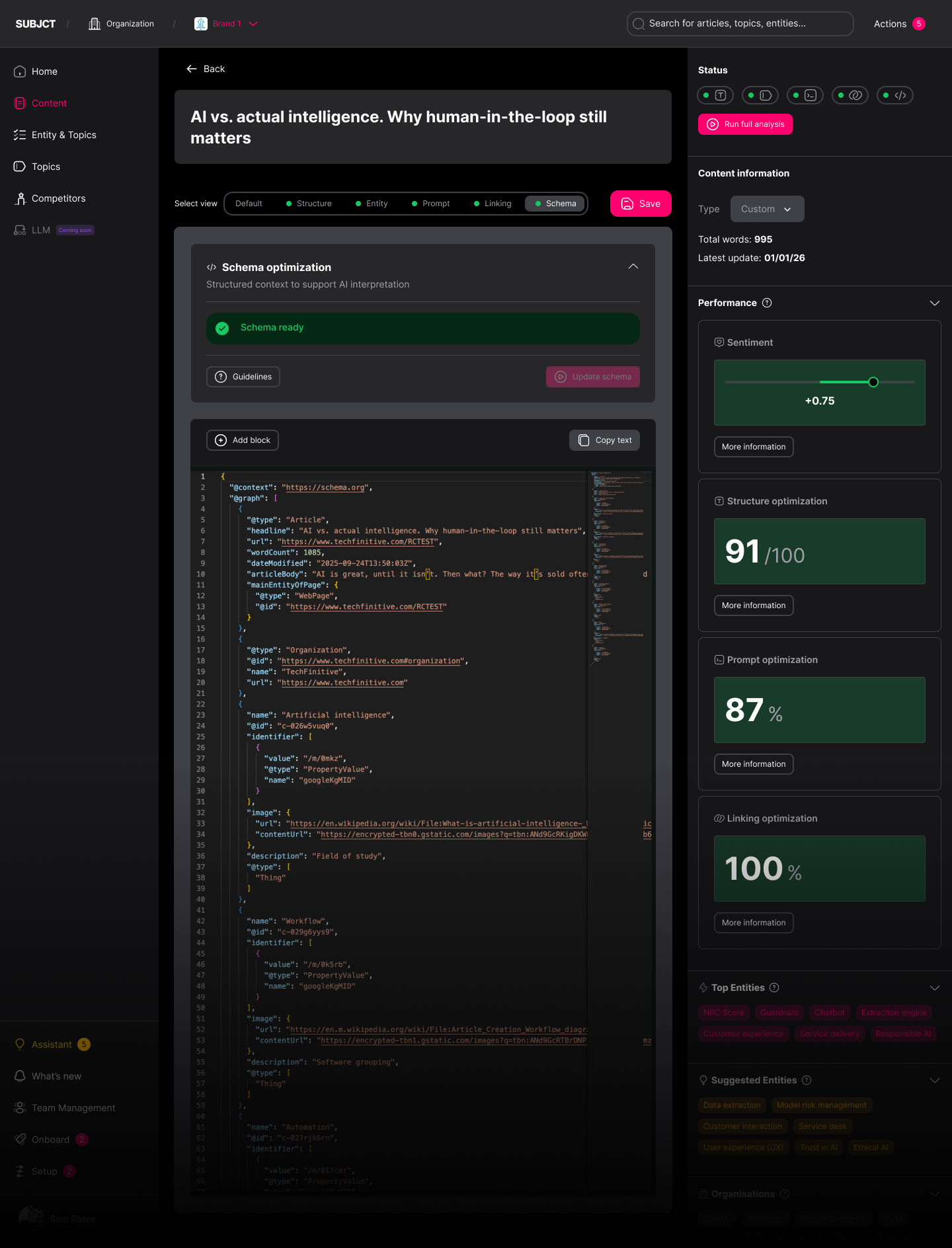
SCHEMA JSON-LD
Schema JSON-LD assigned to the page, not applied as default.

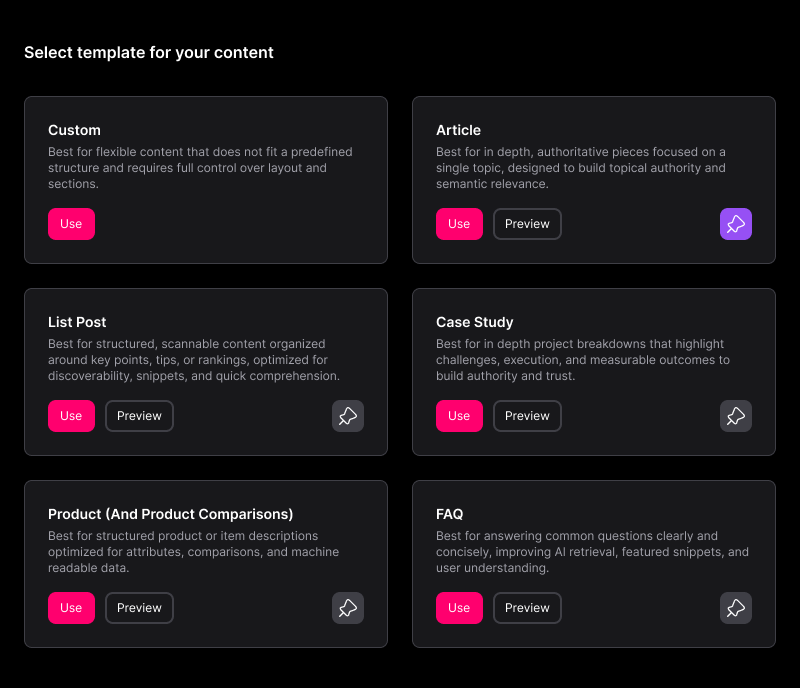
Schema type assigned automatically per template - Article, FAQ, WebPage, HowTo and more
Built directly into the editor, alongside your content
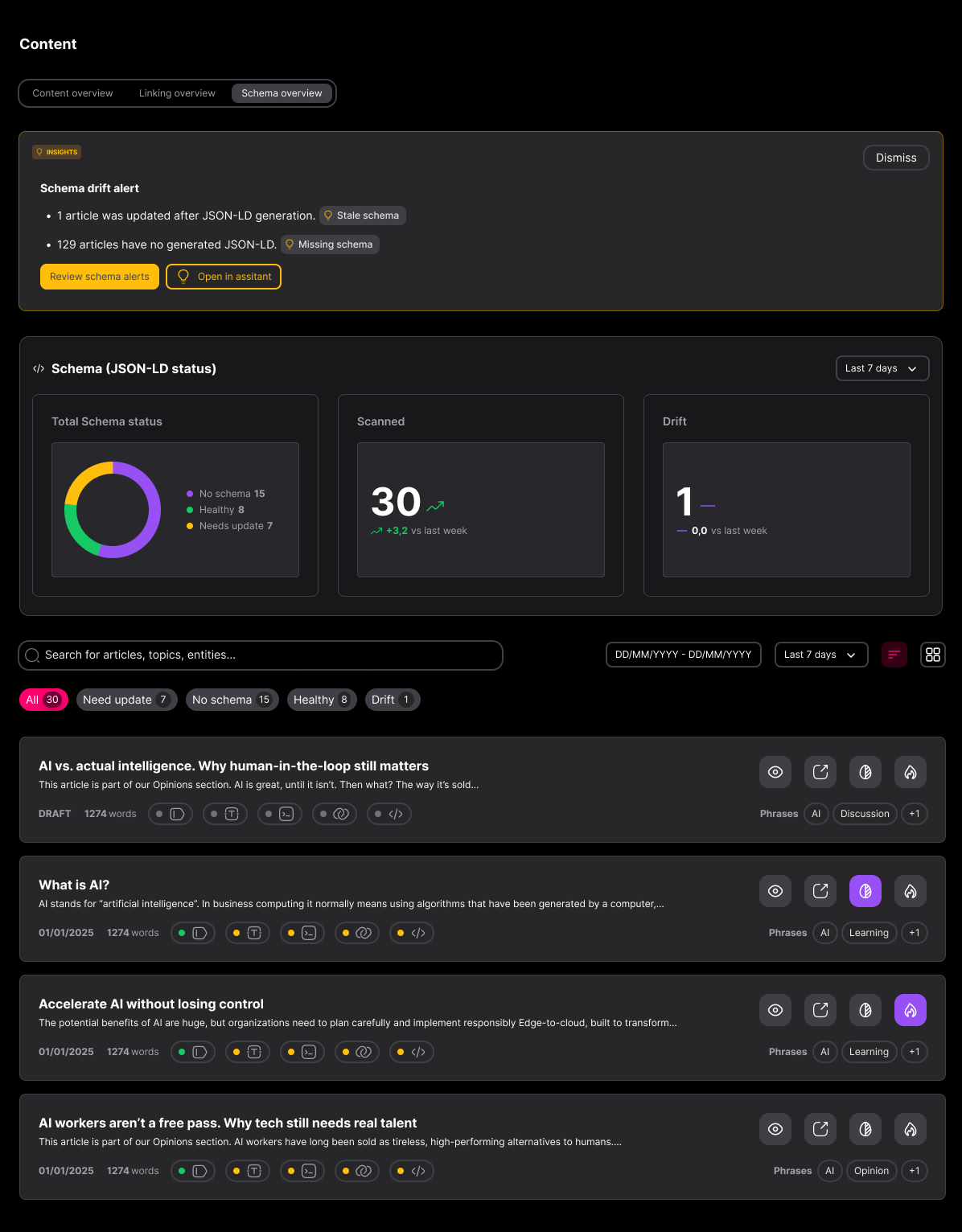
Applied at archive scale via API, not page by page
GOOGLE KNOWLEDGE GRAPH
A machine-readable data layer for your whole archive.
Top 6–8 entities from your article embedded in the schema
Each entity linked to its Google Knowledge Graph identifier
Reduces ambiguity for brands, products and people AI engines don't yet recognise
VALIDATE
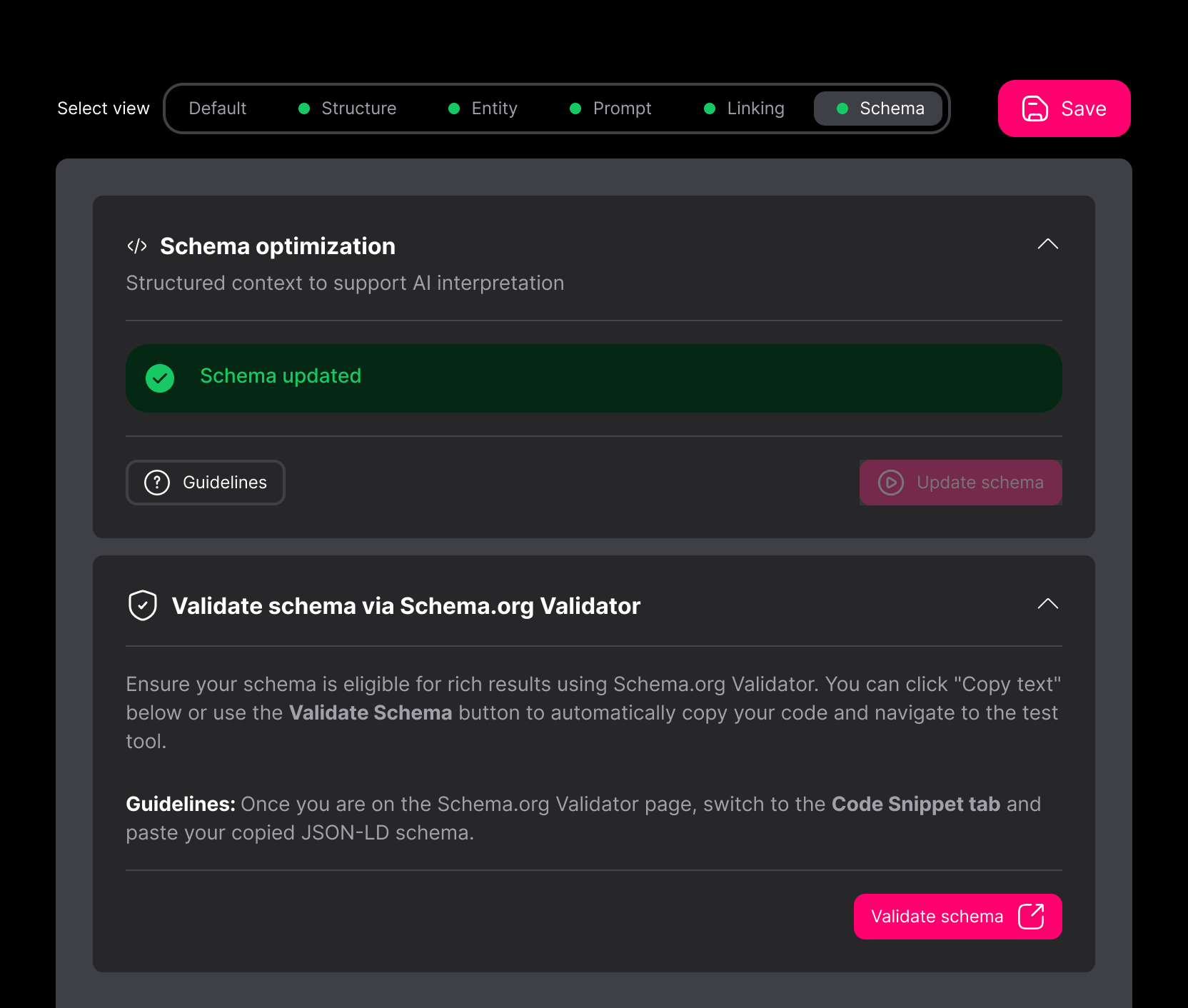
Validate your Schema JSON-LD before it ever goes live
One-click validation via the Schema.org Validator
Snippet copies straight across, no manual code checks required
Keeps your entity layer accurate as content changes
Value Pillars
SUBJCT is the automated content optimisation platform for brand discovery in AI search.

Efficiencies
Other tools in this category identifies opportunities. SUBJCT acts on them. Links created, schema JSON-LD generated, entities tagged across your entire archive.

Integrations
API-first, with a Web App for configuration, a WordPress plugin for direct CMS integration, and an MCP server connecting SUBJCT to any MCP-compatible agent.

Custom Solutions
For publishers and brands managing bespoke integrations, large archives running into the hundreds of thousands of pages, or a migration that needs custom optimisation before go-live.
Frequently asked questions
What does SUBJCT's Schema JSON-LD feature do?


SUBJCT automatically generates entity-aware JSON-LD structured data for every page in your content archive, then links each entity to its Google Knowledge Graph entry. This gives AI search engines and traditional search engines a machine-readable layer to understand what your content is about, without relying solely on parsing natural language.
How does SUBJCT generate schema for my content?
Inside the editor, select the Schema tab and hit Update Schema. SUBJCT builds the JSON-LD in the background, based on the page template you're using, so the markup matches the content type automatically. Across an archive, the same generation runs via API at scale.
What schema types does SUBJCT support?
SUBJCT assigns schema type contextually per page, including Article, WebPage, FAQPage, HowTo and Product. The type is selected based on the template and content, it isn't applied as a single blanket schema across every page.
How does SUBJCT link schema to the Google Knowledge Graph?
SUBJCT identifies the six to eight most important entities in an article and embeds them in the JSON-LD, with each one linked to its Google Knowledge Graph identifier. This resolves ambiguous names and brands into entities an AI engine can recognise with confidence, rather than strings it has to interpret.
Does schema markup increase AI citations?
Schema's proven role is helping engines understand and disambiguate content, not directly increasing citations. Current published evidence doesn't show a reliable causal link between adding schema and AI citation uplift. Its value is highest for entities a system doesn't already recognise with confidence.
Can I validate the schema before it goes live?
Yes. SUBJCT includes one-click validation: select Validate Schema and the snippet opens directly in the Schema.org Validator, so you can confirm the markup is clean before publishing.
Does SUBJCT apply schema across an entire archive, or just one page at a time?
Both. Schema can be generated and reviewed per page inside the editor, or applied across an entire archive via API, built for publisher-scale volumes rather than a page-by-page workflow.
Do I need to write JSON-LD manually?
No. SUBJCT generates the schema for you, so there's no manual coding required. You can still review, edit, or validate the output inside the editor before it's published.

Still have questions?
Can’t find the answer you’re looking for? Please chat to our friendly team.
Get in touch
SUBJCT
Get in touch
Latest posts
Resources and insights for AI search
The latest industry news, interviews, technologies, and resources.



View all posts

Content Optimisation Built for AI search.